
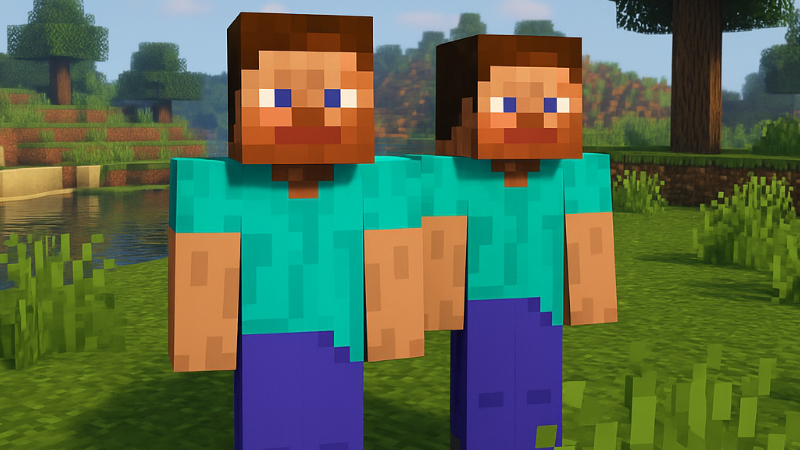
Player Clone
“Create player clones and unleash epic battles. Fight against yourself.”
🌌 Overview
Have you ever wondered what it would be like to fight alongside yourself… or against yourself? Player Clone brings that fantasy to life. With just a few simple commands, you can summon clones of any player and throw them into epic battles — free-for-all or team-based. Perfect for custom PvP arenas, strategy testing, or just chaotic fun.
Your greatest enemy… might just be yourself.
⚙️ Features
- Instant Cloning: Create clones of any player with a single command.
- Dynamic Battles: Launch Free-For-All (FFA) or team-based combat modes.
- Full Control: Start, stop, or remove clones at any time.
- Multiplayer Support: Works seamlessly in multiplayer environments.
- Perfect for YouTubers & Mapmakers: Ideal for recording, events, or AI combat testing.
🧠 Mechanics & Commands
Main Commands
| Command | Description |
|---|---|
/playerclone <username> | Creates a single clone of the specified player. |
/playerclone <username> <amount> | Creates multiple clones of that player. |
/playerclone <username> remove | Removes all clones with the given username. |
/playerclone ffa | Starts a Free-For-All battle among all clones. |
/playerclone team | Starts a Team Battle where each username fights as a group. |
/playerclone stop | Stops the current battle. |
/playerclone help | Displays all available commands. |
🎮 How to Use
- Install Forge for your compatible Minecraft version.
- Place the
.jarfile into yourmodsfolder. - Launch your world or server.
- Use
/playerclonecommands to create, manage, and remove clones. - Enjoy battling against your own army or leading them to victory.
🧩 Compatibility
- Compatible with Minecraft 1.19.2, 1.20.1, and 1.21.
- Works in singleplayer and multiplayer modes.
- No additional dependencies required.
📸 Gallery
 “Your army awaits the fight.”
“When everyone is you… no one is safe.”
🗒️ Notes
⚠️ This mod is under active development.
Future versions will include advanced battle settings and custom training modes.